Childcare Management Software for Operators and Agencies
Vars brings caregiver onboarding, credential tracking, scheduling, timekeeping, payroll and billing into one platform, so childcare operators and agencies can run their workforce without spreadsheets.
- One platform for onboarding, scheduling, hours, payroll and billing
- Track caregiver credentials and expiry dates in one place
- Mobile app for caregivers and staff, white-label available





What Is Childcare Management Software?
Childcare management software is a set of tools that helps a childcare business run day-to-day operations. Some products focus on families: enrollment, child attendance and parent messaging. Others, like Vars, focus on the workforce and back office: onboarding caregivers, scheduling shifts, tracking hours, and running payroll and billing. You may also see it called a childcare management system or CCMS.
Comparing options? Read the complete guide to daycare and childcare management software.
Two Kinds of Childcare Software
Most providers end up using one of each. Decide which job you are shopping for first.
Runs the child and parent side
- Enrollment and waitlists
- Child check-in and attendance
- Daily reports and parent messaging
- Tuition collection
Runs the caregiver and back-office side
- Caregiver onboarding and credential tracking
- Shift scheduling and coverage
- Mobile timekeeping
- Payroll and client billing from the same hours
Where Childcare Workforce Management Breaks Down
Most of the pain shows up long before a family notices it.
Schedules in spreadsheets
Shift changes live in texts and sheets. When a caregiver cancels, finding cover means a round of calls and messages.
Credentials that lapse
Certifications, background checks and training dates sit in folders. Nobody notices an expiry until an audit or a client asks.
Hours that do not match pay
Paper or texted timesheets get re-typed into payroll. Every correction costs time and trust.
Slow client invoicing
Agencies placing caregivers wait on approved hours before they can invoice, which slows cash flow.
Key Features of Childcare Management Software for Your Workforce
Family-side tools cover enrollment, attendance and parent updates. These are the workforce-side features Vars covers.

Onboard caregivers without paperwork
Collect documents, forms and credentials digitally, so a new caregiver is ready for their first shift sooner.
Onboarding softwareSchedule and fill shifts faster
Build schedules by location and role, and get open shifts in front of the right people from their phones.
Staffing and scheduling softwareTrack hours from any phone
Caregivers record time on mobile, and supervisors review it before it moves on to payroll.
Timekeeping softwarePay staff and invoice clients from the same hours
Approved hours drive both payroll and billing, which cuts re-keying and the corrections that follow.
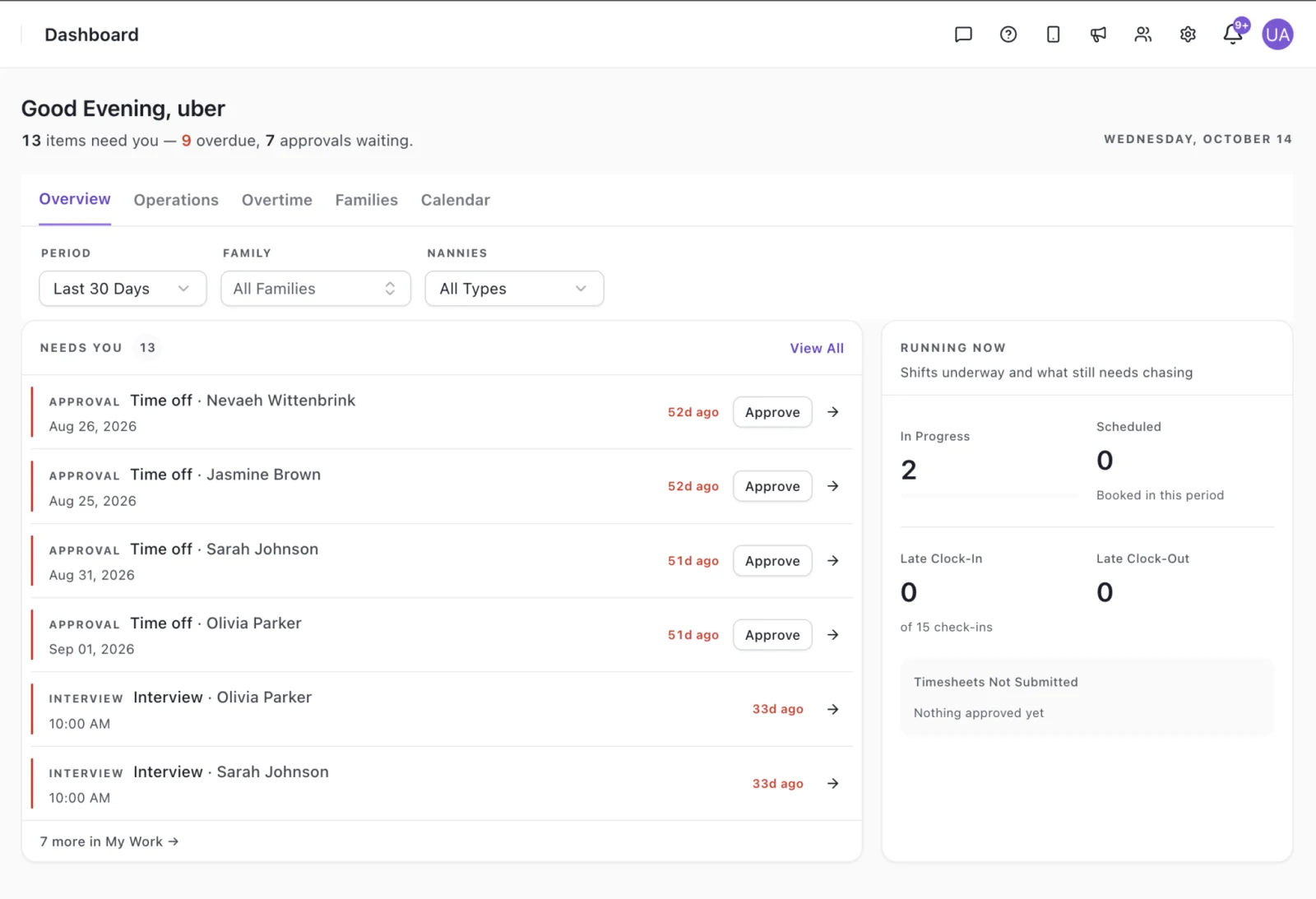
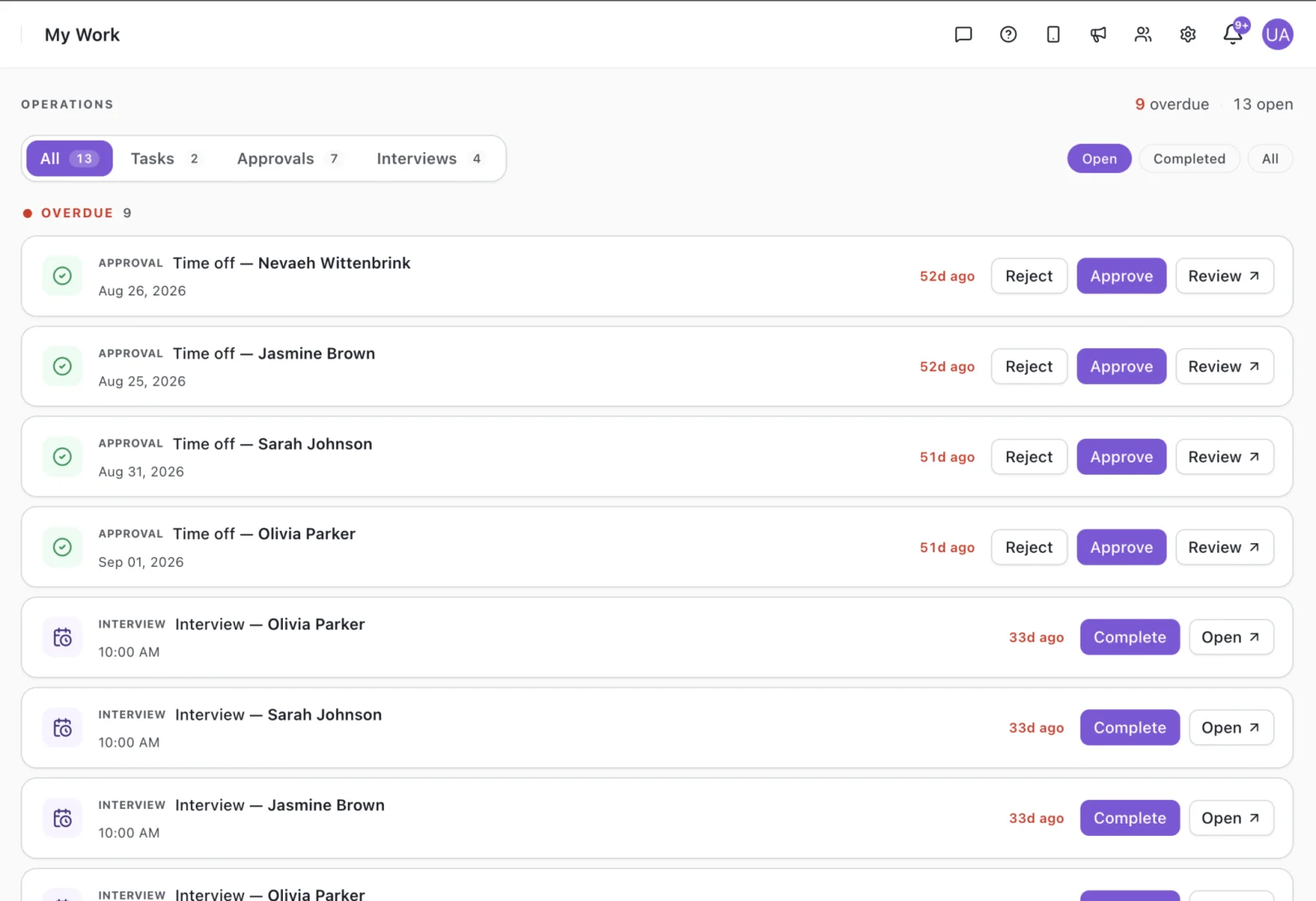
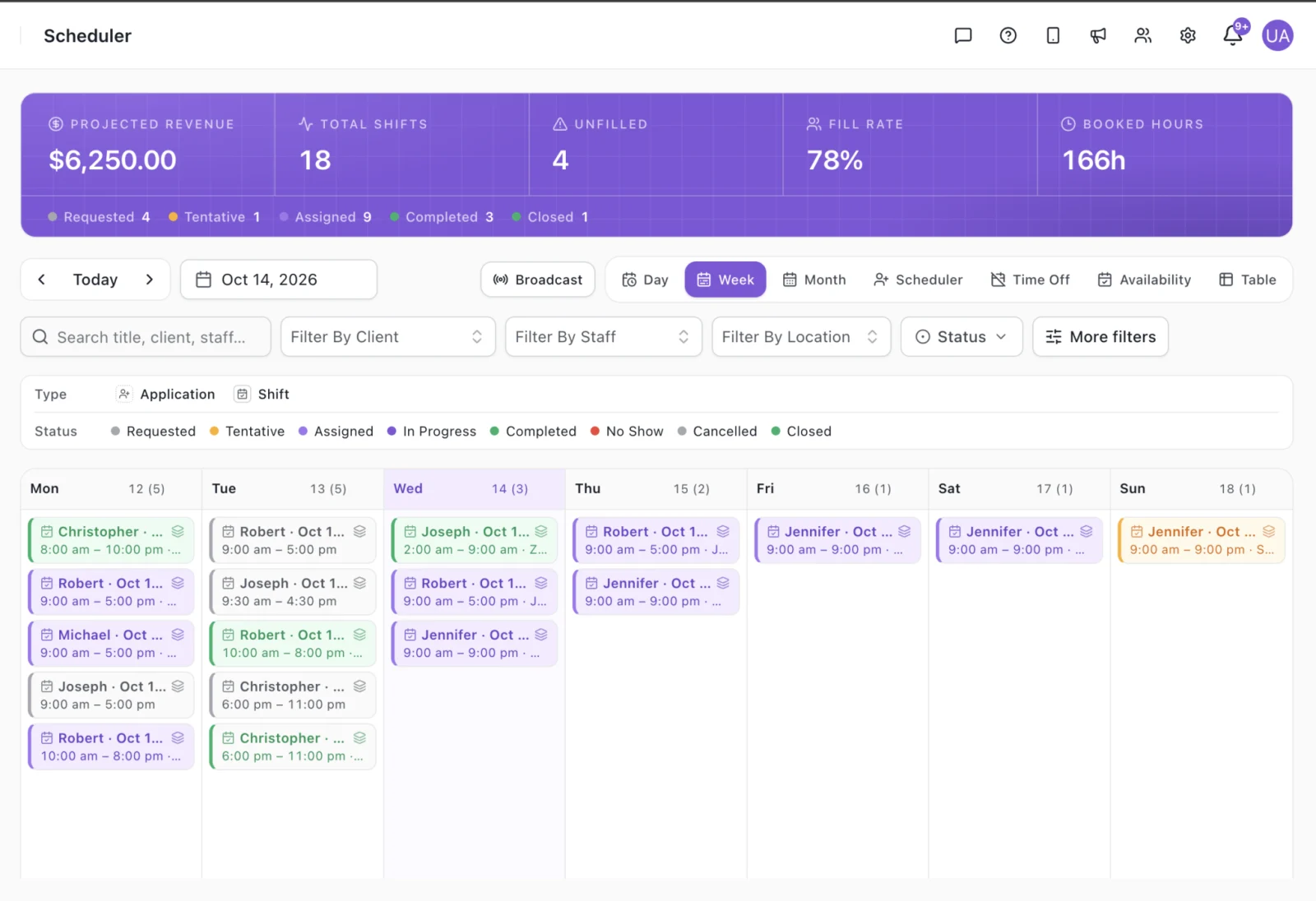
Payroll and billing softwareSee Scheduling and Approvals in the Product
Screens from the Vars platform, shown with demo data.
Benefits of Childcare Management Software for Operators
What changes when the workforce side runs in one system.
Fewer scheduling gaps
Open shifts reach caregivers on their phones instead of a long text thread.
Credentials you can trust
Documents and expiry dates live together, so lapses surface early.
Faster onboarding
Digital forms replace paper packets and follow-up calls.
Cleaner payroll
Hours are recorded once and reviewed before pay is calculated.
Faster client invoicing
Approved hours drive invoices, so agencies are not waiting on re-keyed timesheets.
One process as you grow
Use the same workflow across locations instead of rebuilding it at each one.
Built for Teams That Manage Many Caregivers
Childcare and nanny agencies
Place, schedule and pay caregivers across many families, with onboarding and credentials handled in the same platform.
See nanny agency softwareMulti-site childcare operators
Keep staffing, hours and payroll consistent across locations instead of running a different process at each one.
Read the buyer’s guideIn-home and small providers
Smaller teams get the same scheduling and hours tracking without a heavy setup. See how software fits a small provider.
Software for in-home providersFrom Hire to Paid in Four Steps
Onboard
Caregivers complete forms and upload credentials digitally.
Schedule
Build the schedule and fill open shifts from one view.
Track
Caregivers record hours on mobile and supervisors approve them.
Pay and bill
Approved hours flow to payroll and to client invoices.
How to Choose a Childcare Management System
Five checks that separate a good fit from an expensive mistake.
- 1
Start with the job, not the feature list.
Decide whether your biggest problem sits on the family side (enrollment, attendance, parent updates) or the workforce side (hiring, scheduling, hours and pay). A product built around one side can cover the other only thinly.
- 2
Write down the five tasks that cost your team the most time each week.
If three of them involve staff schedules, credentials or hours, workforce software will pay off first.
- 3
Ask how credentials are handled.
A good system keeps documents and expiry dates together and tells you before something lapses, instead of leaving it to a calendar reminder.
- 4
Follow one pay cycle from start to finish.
Ask the vendor to show how an hour recorded on a phone becomes a paycheck and, for agencies, a client invoice. Any step that needs retyping is a place where errors creep in.
- 5
Test it on your own data.
A demo with your shifts, locations and pay rules tells you more than a feature tour. Our features checklist and the buyer’s guide for daycare centers list more questions to ask.
Childcare Management Software Cost: What Affects the Price
Childcare management software is usually priced by team size, number of locations and the modules you switch on.
Family-facing products often price by enrolled children, while workforce products price by staff or active caregivers, so two quotes are rarely like for like.
When you compare quotes, ask what setup costs, whether payroll and billing are included or add-ons, how support works, and what happens to the price when you add a location. A cheap plan that needs a second tool to finish the job is not always cheaper.
Vars pricing depends on the size of your team and the modules you use. Book a demo for a quote based on your setup.
Book a demoSpreadsheets, Family Apps and Vars
| What you need | Spreadsheets and texts | Family-facing app | Vars |
|---|---|---|---|
| Caregiver onboarding and credentials | Manual, folder by folder | Varies by product | Included |
| Shift scheduling and coverage | Manual | Varies by product | Included |
| Mobile time tracking | Paper or texted hours | Varies by product | Included |
| Payroll and client billing from tracked hours | Re-typed by hand | Varies by product | Included |
| Enrollment, child attendance, parent messaging | Not available | Core strength | Not the focus. Use alongside a family app. |
Features vary between products. Check any vendor against your own requirements.
Hear From a Team Using Vars
In under two minutes, a Vars customer shares their experience running their staffing operations on the platform, in their own words.
Frequently Asked Questions
Childcare management software is a set of tools that helps a childcare business run day-to-day operations. Some products focus on families, covering enrollment, child attendance and parent messaging. Others focus on the workforce and back office, covering caregiver onboarding, scheduling, hours, payroll and billing. Vars is in the second group.
CCMS stands for child care management software, sometimes called a childcare management system. The term covers a wide range of products, so check whether a tool is built for the family side, the workforce side or both.
It depends on the job you need done. If your priority is enrollment, child check-in and parent messaging, look at family-facing products. If your priority is caregiver onboarding, scheduling, hours, payroll and billing, look at workforce software like Vars. Many providers use one of each.
Prices vary by product and are usually based on team size, number of locations and the modules included. Ask every vendor about setup fees, support and what happens as you add staff. For Vars, book a demo for a quote.
No. Vars is built for the workforce and back office of a childcare business. Many providers use it alongside a family-facing app for enrollment, child attendance and parent messaging.
Childcare and nanny agencies, multi-site childcare operators, and providers who manage a team of hourly caregivers and want one system for onboarding, scheduling, hours, payroll and billing.
Yes. Caregivers and staff can use the Vars mobile app to see shifts and record hours. Agencies that want their own branding can use a white-label version of the app.
Hours recorded in Vars feed both payroll and client invoices, so the same approved hours drive pay and billing. A demo can walk through your pay cycle and billing rules.
Run Your Childcare Workforce in One Place
See how onboarding, scheduling, hours, payroll and billing fit together for your team.
Book a DemoRead the Buyer’s Guide