Daycare Payroll and Billing Software That Starts With Approved Hours
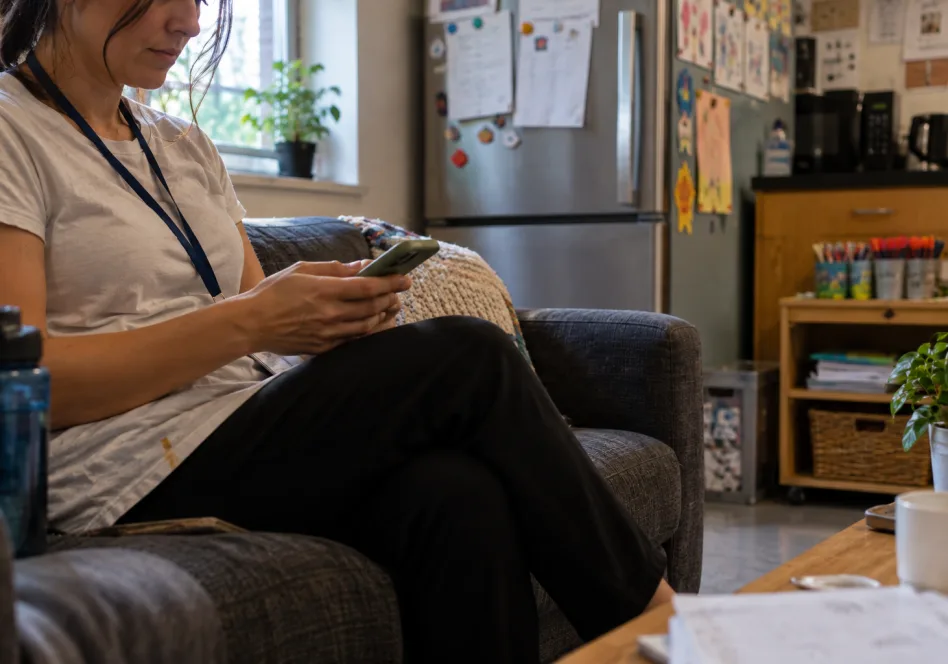
Vars gives daycare directors one flow from the shift to the paycheck. Staff record hours on their phones, supervisors approve them, and approved time goes to payroll and billing. Use it alongside any family-facing app.
- Staff record hours on their phones
- Supervisors approve time before it reaches payroll
- No paper timesheets to retype each pay period




What Is Daycare Payroll and Billing Software?
Daycare payroll and billing software turns the hours your staff work into pay and invoices. Staff record time, a supervisor approves it, and the approved hours feed payroll and any billing built from staff time. The point is to enter each hour once and review it before money moves. Vars is built for this staff side of the center. It is different from tuition billing, which collects fees from families and usually lives in your family-facing app.
Looking for the full picture? See daycare management software or the complete buyer’s guide.
Where Daycare Payroll Breaks Down
Most payroll errors start with a timesheet, not with the payroll run.
Paper timesheets get retyped
Hours are collected, deciphered and keyed in by hand every pay period.
Schedule and hours do not match
The shift was scheduled one way and worked another, and nobody notices until payday.
Corrections come after the run
Missed punches and swapped shifts turn into adjustments in the next check.
Billing starts from a second record
When invoices are built from a different set of numbers than payroll, the two drift apart.
One Record of Hours for Pay and Billing
When pay and invoices are built from the same approved hours, there is one number to check instead of two. Review happens before the payroll run, not after it.
Record time once
Staff clock in and out from their phones against their scheduled shifts.
Approve before you pay
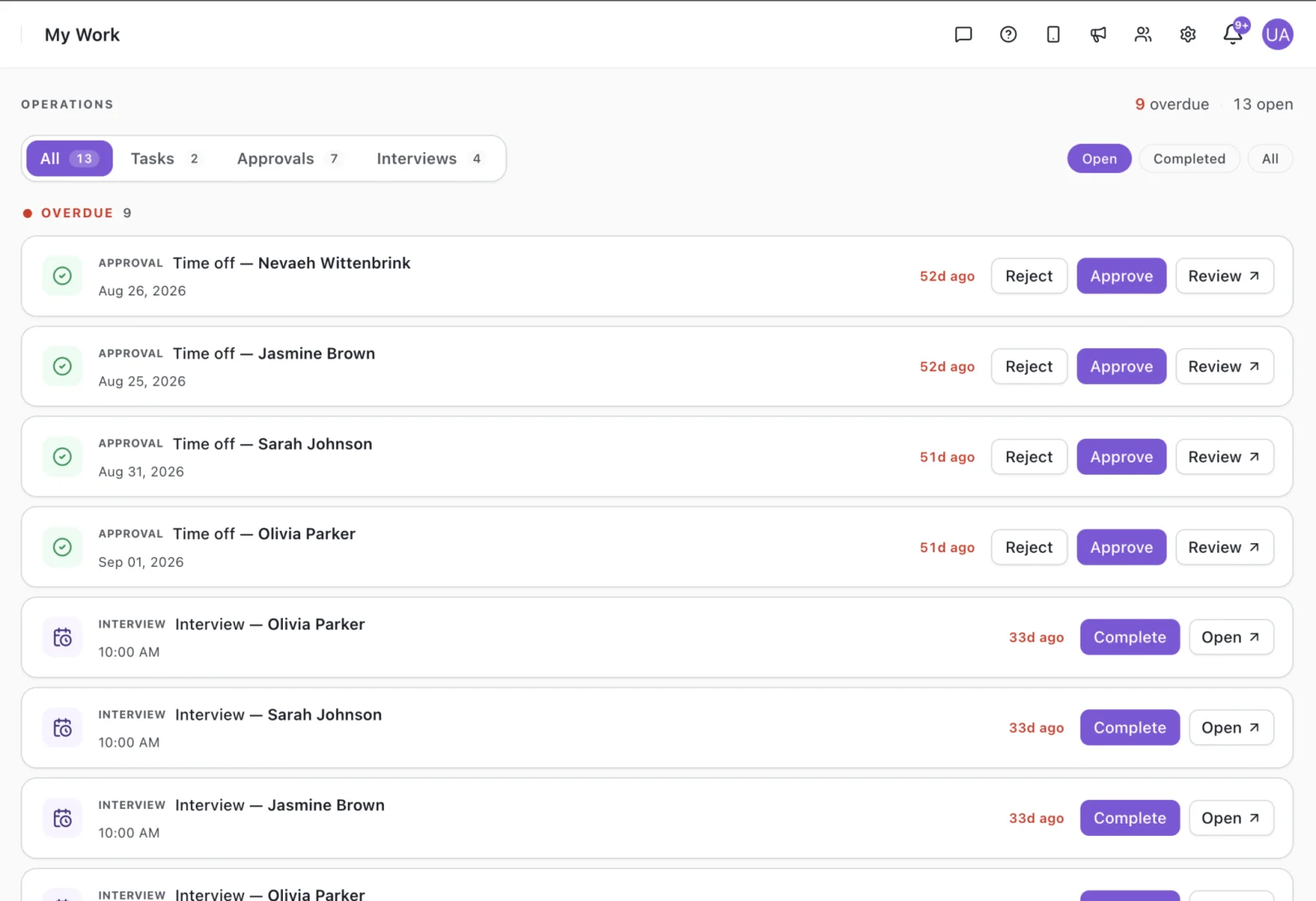
Supervisors review hours in an approvals queue and fix issues while they are fresh.
Use the same hours downstream
Approved time goes to payroll and to billing, so nothing is retyped.

Close a Pay Period Without the Paperwork
A short, repeatable routine for every pay period.
- 1Staff record their hours in the mobile app as they work.
- 2You review hours and fix missed punches in the approvals queue.
- 3Approved hours go to payroll.
- 4The same approved hours support billing and your records.
Key Features of Daycare Payroll and Billing Software
Family apps cover enrollment, tuition and parent messaging. These are the staff-side features Vars covers.

Mobile timekeeping
Staff record hours on their phones, tied to the shifts they were scheduled for.
Employee time trackingPayroll from approved hours
Approved time becomes payroll-ready data without retyping.
Payroll and billing softwareBilling from the same hours
Where you bill for staff time, invoices start from the hours you already approved.
Staffing payroll servicesSee Approvals and Daily Activity in the Product
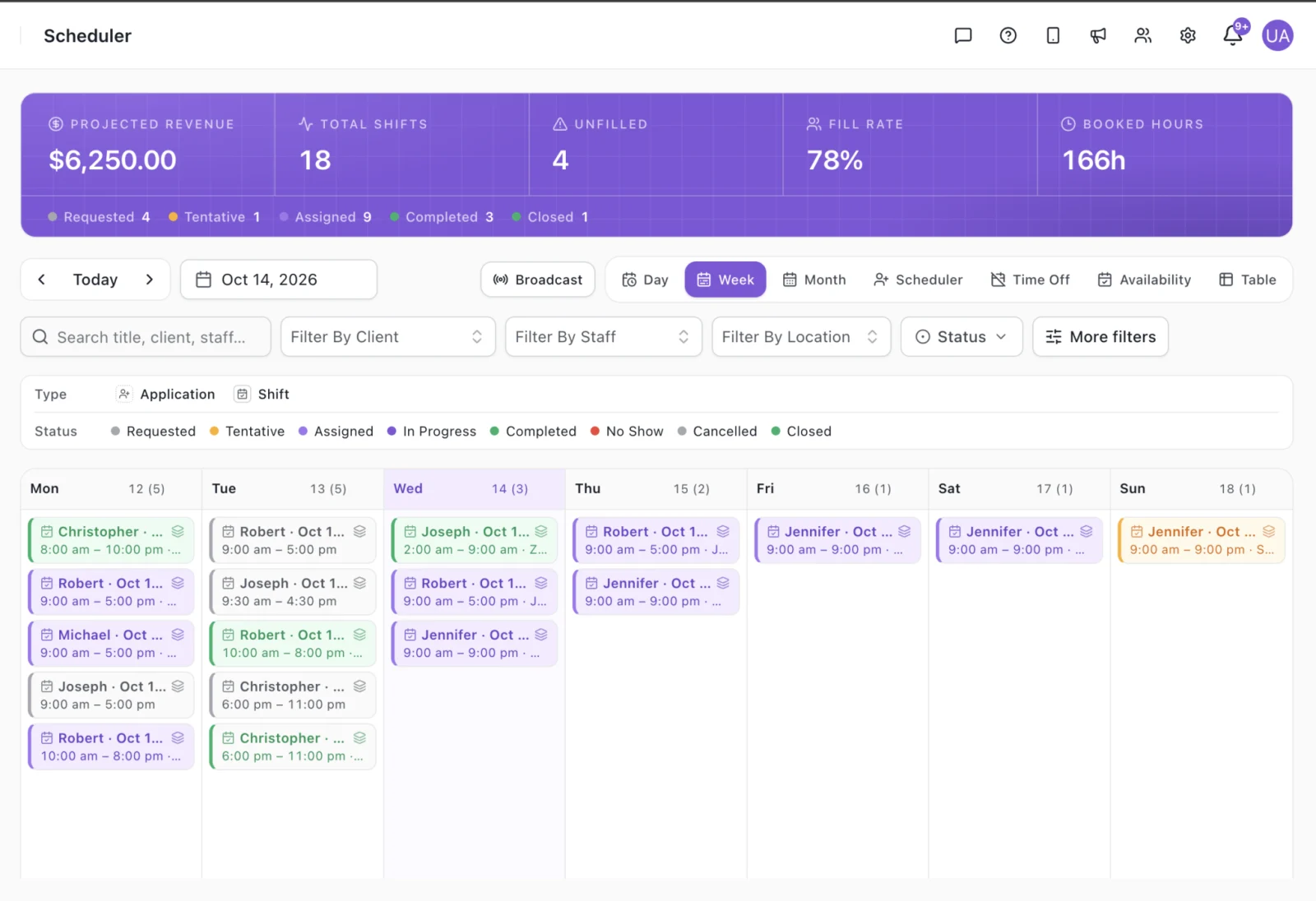
Screens from the Vars platform, shown with demo data.
What to Look For in Daycare Payroll and Billing Software
Use these six questions on any vendor, including us.
Hours captured once
Are hours recorded at the source, or retyped from paper?
Approval before payroll
Can a supervisor review and correct time before the run?
Schedule and hours together
Can you compare what was scheduled with what was worked?
Pay rules that fit you
How does it handle overtime, breaks and different roles or rates?
Payroll connection
Which payroll options are supported, and how do hours move across?
Clear pricing and support
Do you know what is included and how setup works? Ask for a quote on a demo call.
Benefits of Daycare Payroll and Billing Software for Directors
What the pay period looks like with the right tool.
No paper timesheets
Staff record hours on mobile, so there is nothing to collect or decipher.
Fewer payroll corrections
Time is reviewed before the run, not fixed in the next check.
Less retyping
Approved hours move forward instead of being keyed in again.
One record for pay and billing
Payroll and invoices start from the same approved hours.
A clear record
Schedules, hours and approvals sit together if you need to look back.
Time back for the director
Spend less of the pay period on paperwork.
From Shift to Paycheck in Four Steps
Schedule the shift
Staff see what they are working.
Record hours
Staff clock in and out on mobile.
Approve time
Supervisors review and approve.
Pay and bill
Approved hours go to payroll and billing.
Vars vs Paper Timesheets and Spreadsheets
What changes when hours are captured once.
| Job | Paper and spreadsheets | Vars |
|---|---|---|
| Record hours | Handwritten timesheets | Mobile clock in and out |
| Review time | After the pay period ends | Approvals queue before payroll |
| Compare schedule and hours | Side by side by hand | Shifts and hours in one system |
| Hours to payroll | Re-typed by hand | Approved hours feed payroll |
| Billing from staff time | A second spreadsheet | Starts from the same approved hours |
Features vary between products. Check any vendor against your own requirements.
Tuition Billing Stays With Your Family App
Search results for daycare billing software mostly show tuition tools: invoices, autopay and parent statements. Those are built around the child and the family. Hours, payroll and billing from staff time are built around the employee. Different records, used by different people.
Runs the family side
- Enrollment
- Tuition invoices and autopay
- Parent messaging
Runs the staff side
- Scheduling
- Hours and approvals
- Payroll
- Billing from staff time
Most centers use both.
Comparing tuition tools? Read our guides to daycare billing software and daycare accounting, or see daycare management software for the wider picture.
How Much Does Daycare Payroll Software Cost?
Workforce tools are usually priced by staff or by active users. Family-facing apps are often priced by enrolled children or by center.
Add-ons such as payroll, extra locations or onboarding can change the total.
Ask what setup costs, which modules are included, how support works and how the price changes as you add staff or sites. See our daycare software cost guide.
Vars pricing depends on your team size and the modules you use. Book a demo for a quote.
Book a demoHear From a Team Using Vars
In under two minutes, a Vars customer shares their experience running their staffing operations on the platform, in their own words.
Frequently Asked Questions
It is software that turns the hours your staff work into pay and invoices. Staff record time, supervisors approve it, and the approved hours feed payroll and, where you bill for staff time, client invoices. It covers the staff side of the center. Family tuition billing is usually handled by your family-facing app.
No. Tuition billing collects fees from families and is part of most family-facing childcare apps. Vars covers the staff side: hours, payroll and billing built from approved time. Many centers use both.
Staff clock in and out from their phones or record hours against their shifts. A supervisor reviews and approves the hours, and the approved hours go to payroll without being retyped from paper timesheets.
Yes. Staff record time in the Vars mobile app, so there is nothing to collect, decipher or retype at the end of a pay period. Supervisors review the hours in an approvals queue.
Pay rules differ by state and by center. Ask any vendor, including us, how overtime, break rules and different roles or rates are set up for your team, and test them in a demo with your own examples.
It depends on the provider. Ask which payroll options are supported and how approved hours move across, and confirm it in a demo before you commit.
Pricing depends on the product, the number of staff or locations and the modules you add. Vars pricing depends on your team size and the modules you use, so book a demo for a quote.
See How Vars Fits Your Center
Book a short demo and we will walk through hours, approvals, payroll and billing for a team like yours.
Book a DemoDaycare Staff Scheduling Software