Event crew onboarding means collecting the documents, credentials and agreements each worker needs before their first shift, and marking the worker ready to schedule only when that file is complete. Done well, it takes place in batches, from the worker’s phone, weeks before the event. Done badly, it happens at the door on event day. Event staff onboarding software helps by tracking each requirement per worker. To see how this fits with scheduling and check-in, read about event staffing software for agencies.
This checklist covers what to collect, how to onboard hundreds of crew quickly, how to track credentials and where software helps. Requirements vary by client, role and location, so confirm yours with your counsel and clients.
What documents and checks do event crew need before their first shift?
| Category | Examples | Who sets the requirement |
|---|---|---|
| Identity and work eligibility | Identity documents and employment eligibility verification | Law in your location |
| Tax and pay setup | Withholding forms and payment details | Law and your payroll provider |
| Agreements and policies | Signed terms, conduct and safety policies | Your agency |
| Role credentials | Food handler card, alcohol service permit, first aid, security licence where relevant | Law, venue or client |
| Client requirements | Background check, venue induction, dress code acknowledgement | The client or venue |
| Contact and logistics | Emergency contact, availability, transport notes | Your agency |
Common operational mistake: asking for the same packet from every worker. A greeter and a bar server need different credentials. Build packets by role so nobody uploads documents they do not need and nobody is scheduled without ones they do.
In practice, onboarding delays usually come from missing documents chased one worker at a time, not from the checks themselves.
How do you onboard hundreds of crew in the weeks before an event?
See how Vars covers this for your agency
Scheduling, credentialing, and payroll in one platform.
- Work back from the event date. Set a deadline for complete files that leaves time for chasing and replacements, for example a week before the first call time.
- Define packets by role. Decide the required items for each role before recruiting starts.
- Onboard in batches. Invite groups of candidates on set days so coordinators review a manageable queue instead of a flood.
- Make it phone-friendly. Most crew will complete forms and upload photos from a phone, so a desktop-only process loses people.
- Mark workers ready, not just hired. A worker is schedulable only when every required item is complete and valid.
- Chase early and in one place. Send reminders for missing items at set intervals, and keep a short list of workers who are close but incomplete.
For the scale side of this problem, read festival and seasonal event staffing, where onboarding hundreds of workers in weeks is the central challenge.
What might onboarding packets look like by role?
The examples below are illustrative. Your clients, venues and location decide the real requirements, so confirm them before you build packets.
- Greeter, usher or registration crew: identity and work eligibility documents, tax and payment forms, signed agreements and the client’s conduct and confidentiality terms.
- Bar and service crew: everything above, plus any alcohol service or food handling credentials the venue requires, with expiry dates.
- Door and crowd roles: everything above, plus any license or training that applies to the role in your location, which you should confirm with the client and local authority.
- Setup, load-in and AV runners: everything above, plus any safety briefing or equipment training the venue demands.
Store each packet as a template. When a worker applies for a role, they see only the items for that role, which keeps uploads short and files complete.
What does an onboarding timeline look like for a large event?
Work back from the date by which every file must be complete, and set reminders at fixed points. For example:
- Eight weeks out: packets defined, forms built, invitation message ready.
- Six weeks out: first batch invited. Reminders go out three days and one day before each deadline.
- Four weeks out: coordinators review submitted files and chase anything missing in one message.
- Two weeks out: the complete-file deadline. Anyone without a complete file leaves the roster.
- One week out: a short check of expiry dates and a final ready list sent to the scheduler.
The hard deadline is the part that works. It tells workers that incomplete files do not get shifts, and it gives your scheduler a stable list.
How do you verify credentials for roles that need them?
Treat credentials as data with an expiry date, not as a file in a folder. For each credential, record the type, issue date, expiry date and who checked it. A food handler card that was valid in March may have expired before a September festival.
- Check the document against the worker’s identity details, not just that a file was uploaded.
- Record expiry dates and review them before scheduling, not after.
- Keep a clear rule for what happens when a credential lapses, such as removal from affected roles until renewed.
- Confirm with the client or venue which credentials they accept.
What usually breaks at scale: a spreadsheet of names and tick boxes. It shows who submitted a file, not who is valid today, and nobody notices a lapse until a client asks.
How can agencies track compliance without manual spreadsheets?
The aim is a single view of each worker’s status against each requirement: missing, submitted, approved or expiring. From that view, you can answer three questions quickly: who can I schedule for this role, who is incomplete and what is about to expire.
A spreadsheet can do this for a small crew. It strains when documents change weekly, several coordinators edit the same file and clients ask for proof. At that point, move requirements, uploads and statuses into one system and keep the approval record with the worker.
What does a good onboarding flow look like on the worker’s phone?
A worker should be able to open one link, create a profile, upload documents with the phone camera, sign agreements and see which items are still missing. Every screen should do one thing, because crews complete short steps and abandon long forms. A progress indicator that shows what is left removes most of the chasing a coordinator would otherwise do.
Test the flow yourself on a mid-range phone with a poor connection. If you cannot finish it in ten minutes without help, neither will a seasonal worker who has never heard of your agency. Fix the slowest step first, usually document upload, and ask a few new workers where they got stuck.
What should you do about missing or expired documents?
A clear escalation ladder keeps coordinators from chasing the same worker five times:
- First reminder: an automatic message listing exactly what is missing and the deadline.
- Second reminder: a personal message from a coordinator with a link to finish in one tap.
- Final notice: a plain statement that the worker will be removed from the roster on the deadline date.
- Removal: move the worker to a waiting list, and tell them how to return once the file is complete.
For credentials that expire, set a review date well before the event and ask for the renewed document in advance. A worker whose card lapses mid-event is a compliance problem and a staffing gap at the same time.
How do you protect workers’ personal data during onboarding?
Onboarding collects sensitive documents, so treat them carefully. Collect only what the role and the law require. Use a secure channel, not email attachments or chat. Limit who can open documents to the people who need them, and keep a record of who reviewed what. Decide how long you keep files after a worker leaves, and delete them on schedule. Rules on data protection and retention differ by country and state, so have your counsel review your process and any worker-facing privacy notice.
How do you measure onboarding progress?
A few numbers tell you whether you will be ready on time. Check them weekly:
- Complete files against the number of workers you need, by role
- Average time from invitation to a complete file
- The most common missing item, which usually points to a confusing step
- Workers who started but did not finish, and where they stopped
If the most common missing item is the same every week, fix the instruction or the form, not the workers.
Where does event staff onboarding software help, and where does process matter more?
Software helps with volume and visibility: collecting documents from phones, tracking each requirement, reminding workers and showing who is ready. It does not decide your requirements, and it does not replace a person reviewing documents or a lawyer confirming what the law requires. Decide the packets and rules first, then configure the tool to match.
How does Vars fit into event crew onboarding?
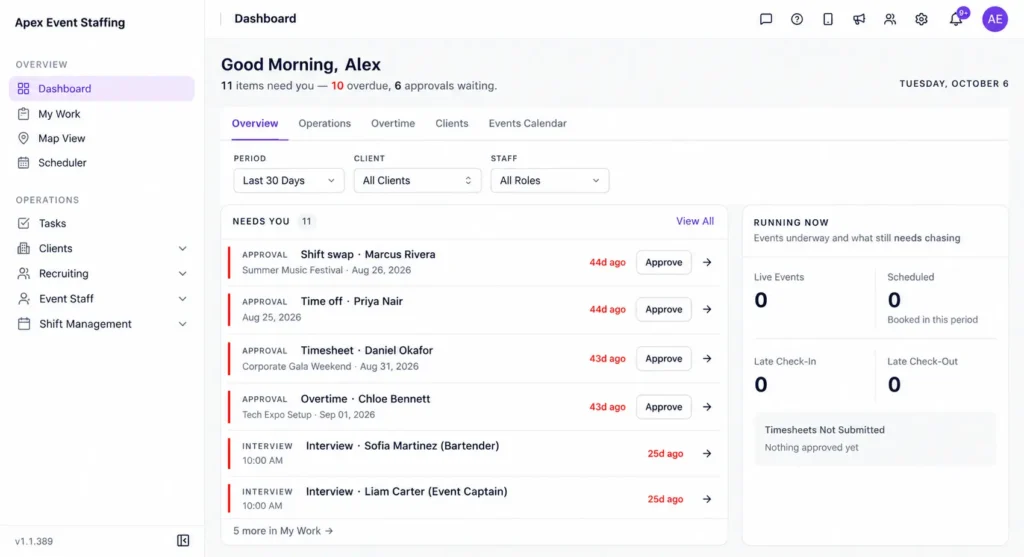
Vars is software that agencies use to run their operations. It is not an event staffing agency. The onboarding side of Vars lets agencies collect documents and forms digitally, so a worker who completes onboarding can then be scheduled, checked in through the mobile app and paid and billed from the same hours. When you need to reach and shortlist many applicants, AI Candidate Matching helps find available, qualified candidates. Confirm which features your plan includes.
To see what happens after a worker is ready, read event staff scheduling and check-in for event crews.
What should you fix first in event crew onboarding?
Fix role-based packets and the ready-to-schedule rule first. Those two changes stop unqualified workers reaching the roster. Expiry tracking comes next. Reporting and analytics can wait. A tool will not fix a late start, so keep the deadline for complete files non-negotiable.
Key takeaway for operations leaders: hire is not the same as ready. Schedule only workers whose files are complete and current.
FAQ
How early should we start onboarding event crew?
Start several weeks before the event for large crews, and set a deadline for complete files that leaves time to chase and replace workers.
What documents do event staff usually need?
Typically identity and work eligibility documents, tax and pay forms, signed agreements and any role-specific credentials. Requirements vary, so confirm yours with counsel and clients.
How do we track credential expiry dates?
Record the expiry date for each credential and review it before scheduling. Set reminders so workers renew before the date.
Can workers complete onboarding from their phones?
Yes, and they usually prefer to. A phone-friendly flow gets more crew to complete their files on time.
Do small agencies need onboarding software?
Not for a handful of workers. It becomes useful when you onboard in batches, track many credentials or answer client requests for proof.
What should we do with workers who do not finish onboarding by the deadline?
Remove them from the roster and place them on a waiting list. Tell them clearly what is missing and how to return once the file is complete, so you keep a path open for next time.
How long should we keep onboarding documents after an event?
Retention rules depend on your location and the type of document. Ask your counsel or payroll provider for a retention schedule, and delete files on that schedule.
Can we reuse a worker’s onboarding file for later events?
Often yes, if the documents are still valid and the role requirements match. Check expiry dates and any client-specific requirements before you schedule them again.
Conclusion: your next step
Event crew onboarding goes smoothly when you decide requirements by role, collect them in batches from phones and schedule only workers whose files are complete. Event staff onboarding software helps most when it supports that flow, but the aim is a roster you can trust before the event, not a scramble at the door.
Your next step: list the required items for your three most common event roles, then check how many workers on your current list are complete today. To see onboarding connected to scheduling and pay in one platform, book a demo.
Related reading: Conference Staffing Schedule and Event Staffing Software.