An event staff check in app lets crew members record their arrival and departure from their phone, often with location confirmation, so the agency and the client can see who is on site without a call. For agencies, the value is simple: fewer arguments about who showed up, more accurate hours for pay and billing and earlier warning when a worker is late. The tool only works if the process around it is clear, so this guide covers both. For more on this, see our guide to event payroll, timesheets and invoicing.
To see check-in alongside scheduling and payroll, read about event staffing software for agencies.
Why is verifying attendance harder at events than in a fixed workplace?
At a standing client site, supervisors know their people. At an event, they do not.
- Large, temporary crews. The on-site lead meets many workers for the first time that day.
- Large venues. Convention centers and festival grounds have many entrances and zones.
- Staggered call times. Workers arrive at different hours across the day.
- Hand-offs and substitutions. A replacement turns up and nobody updates the roster.
- Pressure on the day. Supervisors are managing the event, not a sign-in sheet.
What usually breaks at scale: The sign-in sheet or the supervisor’s memory. At a small event it works. At a large one, no-shows and substitutions go unnoticed until the invoice.
What does a check-in app need to do for event staffing?
See how Vars covers this for your agency
Scheduling, credentialing, and payroll in one platform.
A practical list of requirements:
| Need | Why it matters |
|---|---|
| Check-in and check-out with time | Replaces memory with a record |
| Location confirmation | Shows the worker is at the venue, not just tapping from home |
| Roster match | Confirms the person is who was scheduled for that shift |
| Late and no-show alerts | Lets coordinators backfill early |
| Supervisor override | Handles poor signal, dead phones and legitimate exceptions |
| Link to payroll and billing | Turns check-ins into approved hours without retyping |
Not every event needs every feature. A small corporate lunch may need only a supervisor-confirmed check-in. A multi-day festival benefits from location-based confirmation. For more on this, see our guide to building a conference staffing schedule.
How does GPS or geofenced check-in work, and where does it fall short?
Location-based check-in compares the worker’s phone location with the venue’s boundary. If the worker is inside, the check-in is accepted. If not, it is flagged or blocked, depending on your settings.
It helps because it:
- discourages checking in from elsewhere
- confirms arrival at the right site, which matters for multi-venue events
- adds a time and location record that supports disputes
It has limits:
- Signal. Indoor venues, basements and dense crowds can produce inaccurate locations.
- Privacy. Workers should know when and how location is used. Share your policy clearly and limit collection to check-in moments where possible. Check applicable privacy rules.
- Phones. Some workers have older phones or turn off location services.
Common operational mistake: Making location check-in strict with no fallback. A worker standing at the right door with a weak signal gets blocked and the supervisor loses time sorting it out.
What should a check-in record capture?
A check-in is only useful if the record holds enough detail to settle a question later. At a minimum, capture:
- The worker and the exact shift, so the record ties back to the roster
- Time in and time out, plus break times where your policy requires them
- How the check-in happened: self check-in, location-confirmed or supervisor override
- The supervisor’s name and a short note on any override or exception
- The venue or zone, which matters when one worker moves between sites
The override note is the one people skip. “Checked in by supervisor, phone had no signal at the loading dock” is the line that ends a dispute in one message.
How do you handle the edge cases that always appear?
Every event produces a handful of check-in problems. Decide the rule for each before the day, so supervisors are not improvising:
- A worker forgot or lost their phone. The supervisor checks them in and notes why.
- A worker arrives early. Decide whether the shift starts at call time or arrival, and say so in the confirmation.
- A substitute turns up. Update the roster first, then check them in, so pay and billing follow the right person.
- One worker checks in for another. A supervisor walk-through of the roster at call time catches this, and location confirmation helps.
- A worker leaves early or is released. Record the check-out and who authorized it.
- Someone works two zones in one day. Check them out of the first and into the second so hours land in the right place.
What should a coordinator do in the first 30 minutes after call time?
The period just after call time is when problems are cheapest to fix. The timings below are examples, so adjust them to your event:
- At call time: open the live roster and check the arrival count by zone against what each zone needs.
- Call time plus 10 minutes: contact anyone who has not checked in, starting with the zones that are short.
- Call time plus 20 minutes: release a standby worker to any zone that is still short, and tell the client’s contact only if coverage is at risk.
- Call time plus 30 minutes: record no-shows and substitutions in the roster so pay and billing start from accurate records.
Write the sequence on one card for every coordinator. A repeatable routine matters more than the exact timings.
How should your location policy be written?
Workers are more willing to use location check-in when they know exactly how it works. Say in plain language that location is used at check-in and check-out, say whether it is collected at other times and say who can see it. Keep collection to what you need. Rules on tracking and consent differ by country and state, so have your counsel review the wording before you publish it.
How should agencies set up attendance rules for event crews?
Write the rules before the event and make sure workers see them.
- Define check-in windows, such as the time range in which a worker may check in for their call time.
- Define lateness, including when a late arrival is reported to the coordinator.
- Set a no-show rule, such as the point at which a backfill is requested.
- Give supervisors a way to override, with a note on why.
- Brief the crew on how to check in, in the pre-event message and in person.
Pro tip for staffing agencies: Send the check-in instructions with the venue entrance and parking details the evening before. Many late check-ins come from workers who cannot find the right door.
How do you use attendance data during and after the event?
During the event, attendance data answers a live question: are we fully staffed right now? A coordinator who can see arrivals as they happen can call a late worker or send a standby before the client notices a gap. For more on this, see our guide to event staff scheduling software.
After the event, the same records give you:
- Approved hours for payroll and the client invoice
- A history per worker of punctuality and attendance, useful when deciding who to book next
- Evidence for client disputes, including who was on site and when
How does Vars handle check-in and attendance for events?
Vars is software that agencies use to run their operations, and it is not an event staffing agency. For event crews, Vars connects scheduling, timekeeping and the mobile app, so workers check in from their phones, coordinators see arrivals against the roster and the recorded time flows into timesheets for payroll and billing. See the timekeeping and event staffing software pages for the product details. You can see how this works in practice on the employee time tracking page.
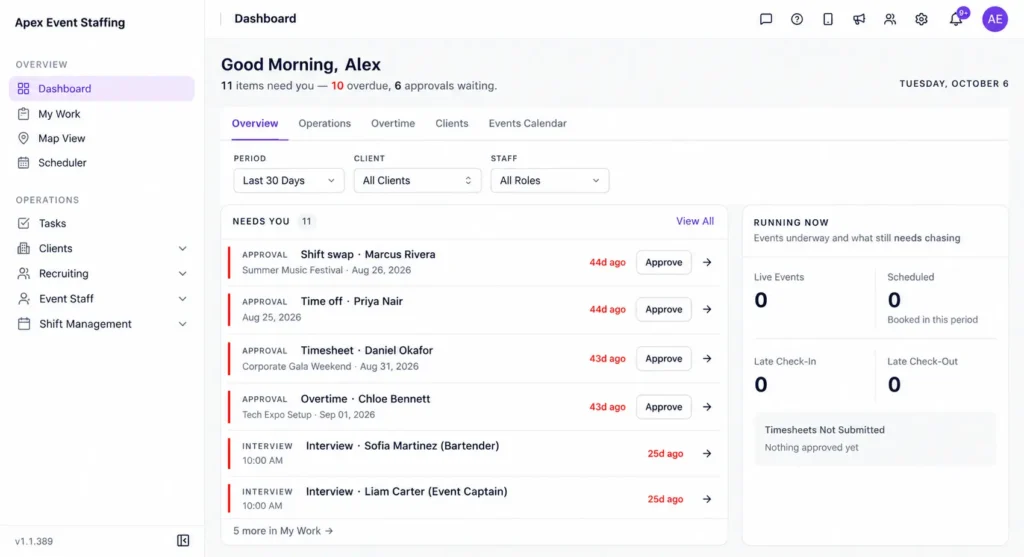
Software does not replace a clear call time or a prepared supervisor. It gives the supervisor a live view and a reliable record. Confirm which location features your plan includes before you promise them to workers or clients. For more on this, see our guide to multi-site time tracking.
What should you fix first, and what can wait?
- Roster accuracy. Check-in is only as good as the schedule it checks against.
- Clear rules and briefing for workers and supervisors.
- One record of hours used for pay and billing.
- Location settings, once the basics work and workers are comfortable.
- Later: punctuality reporting and booking priority for reliable workers.
How do you prepare crews and supervisors to use check-in properly?
Technology fails at the briefing stage more often than at the software stage.
- Explain the steps in the confirmation message, with a screenshot or short video if possible.
- Brief workers in person at the first call time, and have a lead check that everyone has checked in.
- Tell workers how location is used and when, in plain language.
- Train supervisors on overrides, including what to note and when to escalate.
- Run a test shift with a small team before the first large event.
Pro tip for staffing agencies: Assign one person per event as the check-in owner. When everyone is responsible, nobody checks the list.
FAQ
Is GPS check-in required for event staffing?
No. For small events, supervisor-confirmed check-in can be enough. Location confirmation helps most at large or multi-site events.
What happens if a worker cannot check in because of poor signal?
Give supervisors an override with a note, so legitimate exceptions do not stall the event.
How do we address worker privacy concerns?
Tell workers when location is collected and why, collect only what you need, and review applicable privacy rules.
Can check-in data be used for payroll?
Yes, when it is connected to timekeeping. Approved check-in and check-out times can become the basis for pay and billing, with exceptions reviewed.
Can workers check in before their call time?
You decide. Many agencies allow a short early window and start paid time at the scheduled call time, but the rule should be written in the confirmation message so workers know what to expect.
Should supervisors check in a whole crew at once?
Use it as a fallback, not a habit. Bulk check-in removes the evidence that each worker actually arrived. Reserve it for venues where individual check-in fails, and record why.
Does a check-in record replace a timesheet?
No. Check-in captures when someone arrived and left. The timesheet is the approved record that drives pay and billing, built from those times plus any approved changes.
What attendance reports can I share with a client?
Arrival times against the roster, no-shows and replacements, and total hours by role. Agree the format with the client before the event so the report answers their questions.
Conclusion: your next step
An event staff check in app helps agencies replace sign-in sheets and memory with a record of who arrived, when and where. The result is faster backfill during the event and cleaner hours afterwards.
Your next step: review your last event and list how you confirmed who showed up. If the answer was a sheet, a text or a supervisor’s recollection, test a digital check-in at your next event with one team. To see check-in connected to timesheets, payroll and billing, book a demo.