Event Staffing Software: Crew Role Templates, Real-Time Check-In & Mobile Worker Self-Service
Trusted by event staffing agencies for conferences, festivals, sports events, and corporate functions. Vars gives event agencies reusable crew role templates, real-time check-in tracking by role, mobile worker self-service, and multi-event scheduling from one dashboard.




The Event Staffing Challenges That Generic Scheduling Tools Cannot Handle
Event staffing fails in specific, visible, client-damaging ways: wrong roles showing up, roles not showing up, workers who don’t know what they’re doing, and account managers with no real-time visibility on event day.
Events Require Role Templates, Not Just Shift Slots
Every event type has a repeatable crew structure with specific roles and headcount. Rebuilding this from scratch for every event booking is enormous overhead. Reusable role templates reduce event build time from hours to minutes.
Real-Time Coverage Gaps Have No Recovery Window
When a conference registration desk is short two workers at 8am, the event is live and cannot pause. Real-time check-in tracking that identifies gaps before the event starts is the only way to resolve coverage issues in time.
Worker Engagement Determines Show Rate
Event workers who receive confirmation requests, event briefing documents, and arrival instructions through a professional mobile app show at dramatically higher rates than workers managed by group text and email.
Multi-Event Scheduling Creates Role Conflict Risk
When an event staffing agency is running three events simultaneously with a shared worker pool, role conflicts are a constant scheduling risk without a consolidated multi-event visibility tool.
Key Features of Vars Event Staffing Software
Purpose-built for the role complexity, real-time demands, and no-second-chance environment of professional event crew management.
Reusable Crew Role Templates
Build the full crew role structure for each event type once, roles, headcount per role, experience requirements, briefing content, and timing, then deploy for every booking. Conference, festival, sports, and corporate event templates ready in minutes.
Real-Time Check-In Tracking by Role
Workers check in on event day via the Vars mobile app with GPS verification. Account managers see live check-in status by role, immediately identifying uncovered roles while there is still time to arrange backfill before the event is affected.
Mobile Worker Self-Service App
Event crew access their assignments, event briefing documents, supervisor contacts, venue details, and direct communication from the Vars branded mobile app. Pre-event confirmation requests delivered via push notification. Workers confirm with one tap.
Multi-Event Scheduling Dashboard
Manage all concurrent events from one consolidated dashboard, role coverage status, worker confirmations, check-in tracking, and gap alerts across every active event simultaneously. Instantly identify role conflicts for workers assigned to multiple concurrent events.
Event Staffing Software Built for the Role Complexity and Real-Time Demands of Professional Event Crew Management
Event staffing is operationally unlike any other staffing vertical. Every event has a unique crew structure, specific roles required in specific numbers for a specific time window, with no opportunity to course-correct once the event is live.
Event Template Creation
Build a reusable event template for each event type, capturing the full crew role structure, role-level headcount, skill requirements, briefing content, and timing. For recurring clients, templates deploy for the next booking in minutes.
Worker Assignment by Role
Assign workers from your database to each crew role, matching by availability, experience, and role-specific requirements. Workers receive role-specific assignment confirmations via the Vars mobile app including their specific role, responsibilities, and reporting time.
Role Conflict Detection
Vars automatically identifies scheduling conflicts when workers are assigned to overlapping roles across concurrent events, preventing double-booking before confirmations are sent rather than discovering conflicts on event day.
Real-Time Check-In Tracking & Pre-Event Communication That Drives Show Rate
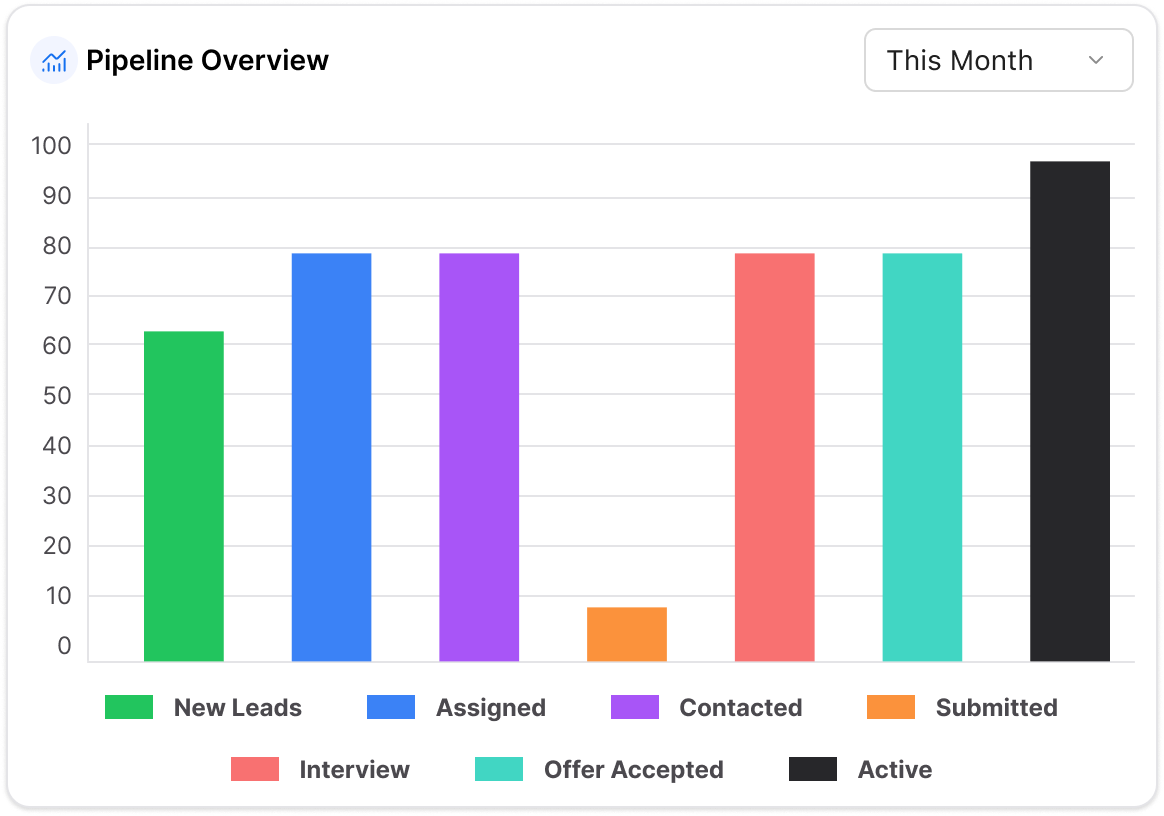
On event day, account managers see real-time check-in status by role, immediately identifying any uncovered roles and triggering rapid gap fill from the available pool before the event is affected. Pre-event communication sequences through the branded mobile app dramatically reduce no-show rates.
Automated Pre-Event Communication
Communication sequences deliver event briefing, dress code, reporting time, venue access instructions, and supervisor contacts to every assigned worker before the event. Confirmation tracking escalates to unconfirmed workers automatically.
GPS Real-Time Check-In by Role
Workers check in at the venue via GPS-verified mobile app. Account managers see live check-in status by crew role, immediately identifying any uncovered roles while there is still time to arrange backfill.
Post-Event Reporting
Comprehensive post-event workforce reports document attendance by role, actual hours vs scheduled, coverage gaps, and no-show rates, providing client reporting that builds long-term relationships.
How Vars Event Staffing Software Works
From event template to post-event report, end-to-end event crew management in five steps.
Event Template Creation
Build a reusable event template for each event type, crew roles, headcount requirements, briefing content, and timing specifications. Deploy for every booking of that event type in minutes.
Worker Assignment by Role
Assign workers to each crew role by availability, experience, and role requirements. Workers receive role-specific confirmations via the Vars mobile app including their role, responsibilities, and reporting time.
Pre-Event Communication
Automated sequences confirm worker attendance and deliver event briefing via the branded mobile app. Confirmation tracking shows who has confirmed and escalates to unconfirmed workers automatically.
Real-Time Check-In & Coverage
On event day, workers GPS check-in via mobile app. Account managers see live check-in status by role, identifying uncovered roles in time to arrange backfill before the event is affected.
Built for the Real-Time Demands of Event Staffing
Why Event Staffing Agencies Choose Vars
Event staffing fails in specific, visible, client-damaging ways: wrong roles showing up, roles not showing up, workers who don’t know what they’re doing, and account managers who don’t know what’s happening on the ground in real time. Vars was designed to prevent all four failures.
- ✓Reusable crew role templates eliminate the rebuild-from-scratch overhead for every event booking
- ✓Real-time GPS check-in by role identifies coverage gaps while there’s still time to fill them
- ✓Mobile worker self-service with automated pre-event communication reduces no-show rates significantly
- ✓Multi-event dashboard prevents double-booking and provides full portfolio visibility simultaneously
- ✓Role conflict detection catches assignment errors before confirmations are sent
- ✓Post-event reporting provides client-facing workforce documentation that builds long-term relationships
Explore Vars for Events & Hospitality
Frequently Asked Questions
Event staffing software is a platform built for agencies placing temporary crew at conferences, festivals, sporting events, corporate functions, and other live events. It handles crew role template creation and reuse, worker-to-role assignment, real-time check-in tracking by role, mobile worker self-service, and multi-event scheduling from one dashboard.
Event staff scheduling software manages the specific scheduling demands of event crew management, assigning workers to specific crew roles, tracking role-level headcount coverage, managing pre-event confirmation workflows, and providing real-time check-in visibility on event day.
Workers check in at the event venue via the Vars mobile app with GPS verification. Account managers see live check-in status by crew role in the event dashboard, immediately identifying any uncovered roles while there is still time to arrange backfill before the event starts.
Vars allows agencies to build a complete crew role structure for each event type, capturing roles, headcount per role, experience requirements, briefing content, and timing, and save it as a reusable template. For subsequent bookings of the same event type, the template is deployed in minutes rather than rebuilt from scratch.
Event staff management software covers the full event crew lifecycle, sourcing, crew role assignment, pre-event communication and confirmation, on-the-day check-in and coverage tracking, and post-event reporting, in a single platform designed for professional event staffing agency operations.
Yes. Vars’ multi-event dashboard gives account managers consolidated visibility across all concurrent events, coverage status by role, worker confirmation rates, check-in tracking, and gap alerts, simultaneously. The system automatically detects role conflicts when the same worker is assigned to overlapping roles across concurrent events.
Vars reduces event crew no-shows through automated pre-event communication sequences, delivering venue details, role briefing, arrival instructions, and supervisor contacts via the branded mobile app, and automated confirmation tracking that identifies unconfirmed workers well before the event and escalates to them automatically.
Ready to Run Every Event Without a Coverage Gap?
Book a personalised demo and see how Vars handles crew role templates, real-time check-in tracking, and multi-event scheduling for professional event staffing agencies.